
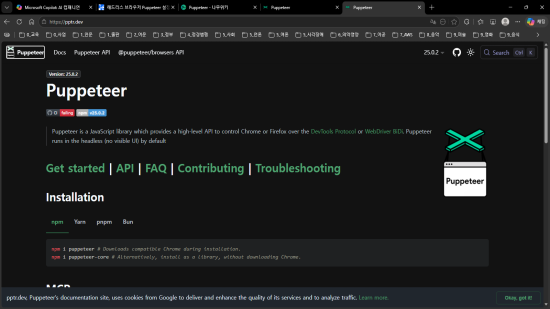
브라우저 자동화 라이브러리 Puppeteer 설치
1. 운용환경
- Windows 11 pro
2. 설치 및 설정
-
(Puppeteer의 프로젝트 루트로 사용할) 디렉터리로 이동
-
설치환경 점검
$ npm -v 11.6.2 $ node -v v24.12.0 -
초기화
$ $npm init -y Wrote to d:\pcloud\dev\pub7-governup\tools\newsletter\package.json: { "name": "newsletter", "version": "1.0.0", "description": "", "main": "index.js", "scripts": { "test": "echo \"Error: no test specified\" && exit 1" }, "keywords": [], "author": "", "license": "ISC", "type": "commonjs" } -
puppeteer 라이브러리 설치
$ npm install puppeteer

added 99 packages, and audited 100 packages in 14s

7 packages are looking for funding
  run `npm fund` for details

found 0 vulnerabilities
3. 스크립트 소스
// *.js
// import puppeteer module;
import puppeteer from 'puppeteer';

// Launch the browser and open a new blank page.
const browser = await puppeteer.launch(); // puppeteer 실행
const page = await browser.newPage(); // 새 페이지 생성

// Navigate the page to a URL.
await page.goto('https://developer.chrome.com/'); // url로 이동

// Set the screen size.
await page.setViewport({width: 1080, height: 1024}); // 화면 사이즈

// Open the search menu using the keyboard.
await page.keyboard.press('/'); // 키보드 입력으로 검색 메뉴 열기

// Type into search box using accessible input name.
await page.locator('::-p-aria(Search)').fill('automate beyond recorder'); // 접근성 이름을 이용해 검색창에 텍스트 입력

// Wait and click on first result.
await page.locator('.devsite-result-item-link').click(); // 검색 결과 첫 번째 항목 클릭

// Locate the full title with a unique string.
const textSelector = await page
  .locator('::-p-text(Customize and automate)')
  .waitHandle();
const fullTitle = await textSelector?.evaluate(el => el.textContent); // 특정 텍스트가 포함된 요소를 찾고 대기

// Print the full title.
console.log('The title of this blog post is "%s".', fullTitle); // 찾은 요소의 텍스트 내용을 가져오기

await browser.close(); // 브라우저 종료
4. 실행
$ node *.js